Your own private drive, with a portal for your clients
GooseBox stores your files on our servers and shows them on the web and in File Explorer on your PC. You can share a folder with a client under your own name and colours, and decide who can upload and who can download. It is open to invited accounts while we test it.
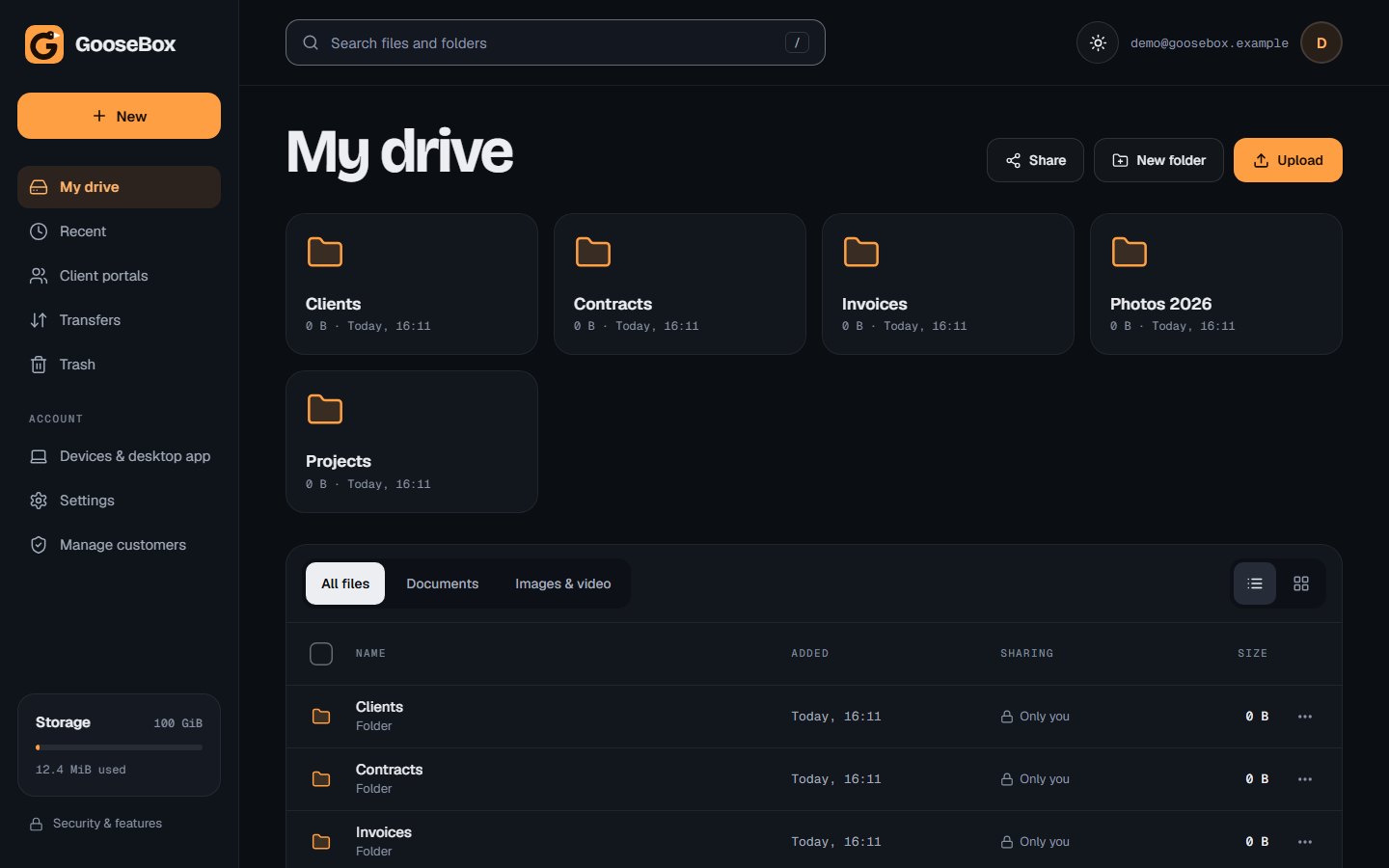
Demo account with sample folders.
Store it, share it, get it back
GooseBox is built as a drive you can hand to clients. You keep your files in one place, and each client sees only the folders you give them.
- Big files
- The Windows app uploads in pieces and carries on where it stopped if your connection drops. In the browser, each file can be up to 100 MB.
- Client portals
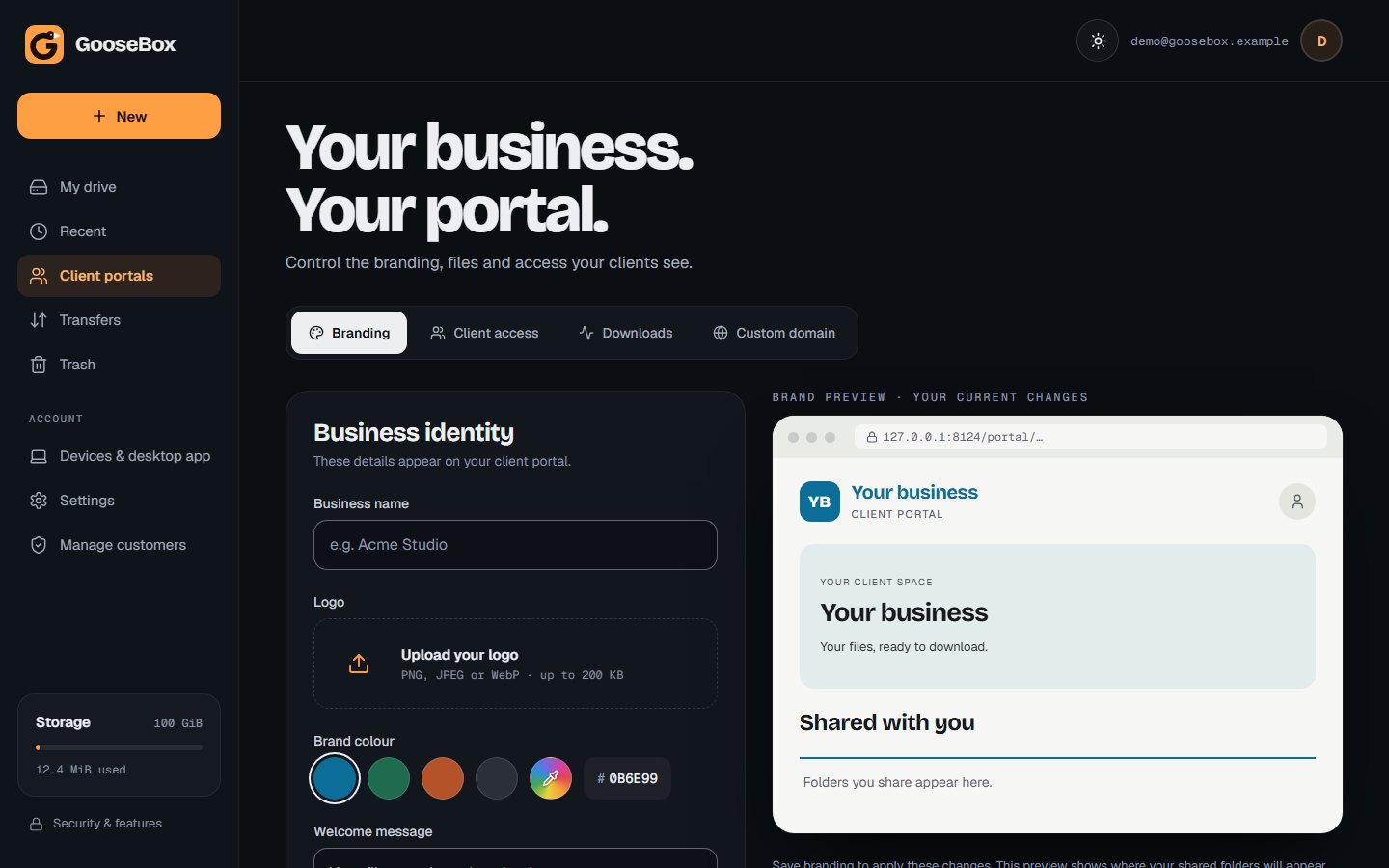
- Add your business name, logo, colour and a welcome message. Each client signs in to a portal with your branding and sees only their own folders.
- Who can do what
- Give a client upload only, download only, or both. Set an end date, and take access away at any time. Downloads by clients are recorded.
- Storage limits
- The administrator creates accounts and sets how much space each one gets.
- Network drive
- You can also connect your drive as a Windows network drive, with a separate device password that you can cancel at any time.
- Trash
- Deleted files stay in Trash for 30 days, so a mistake can be undone.
- Light and dark
- The web app has a light and a dark look. Pick the one you like.
Your business, your portal
Set your business name, logo, colour and welcome message. A live preview shows exactly what your clients will see before you save.
Your drive, inside File Explorer
The GooseBox app for Windows keeps a folder in step with your cloud drive. It also has a streamed drive, so you see everything without downloading it first.
- Sync folders
- Connect up to 16 folders per account. Each keeps full copies on your PC and syncs new and changed files in both directions. You can pause a folder or remove it without losing files.
- Streamed drive
- Your whole cloud tree shows in File Explorer as files that are not on your PC yet. A file downloads when you open it. Keep a file offline to have it always on your PC, or free the space again later.
- Play without downloading
- Play audio and video, and preview images and PDFs, straight from the cloud. You can skip ahead in a video without waiting for the whole file.
- Conflicts
- If a file was changed on two machines, both copies are kept in a conflicts folder. Nothing is overwritten without you knowing.
- Transfer queue
- See every upload and download. Pause or cancel up to 1,000 at once, and interrupted transfers wait for you to resume them.
- Delete safely
- A file deleted on one side is flagged, and the other copy is kept. Deletes are not passed on automatically.
Encrypted on our servers and on the way there
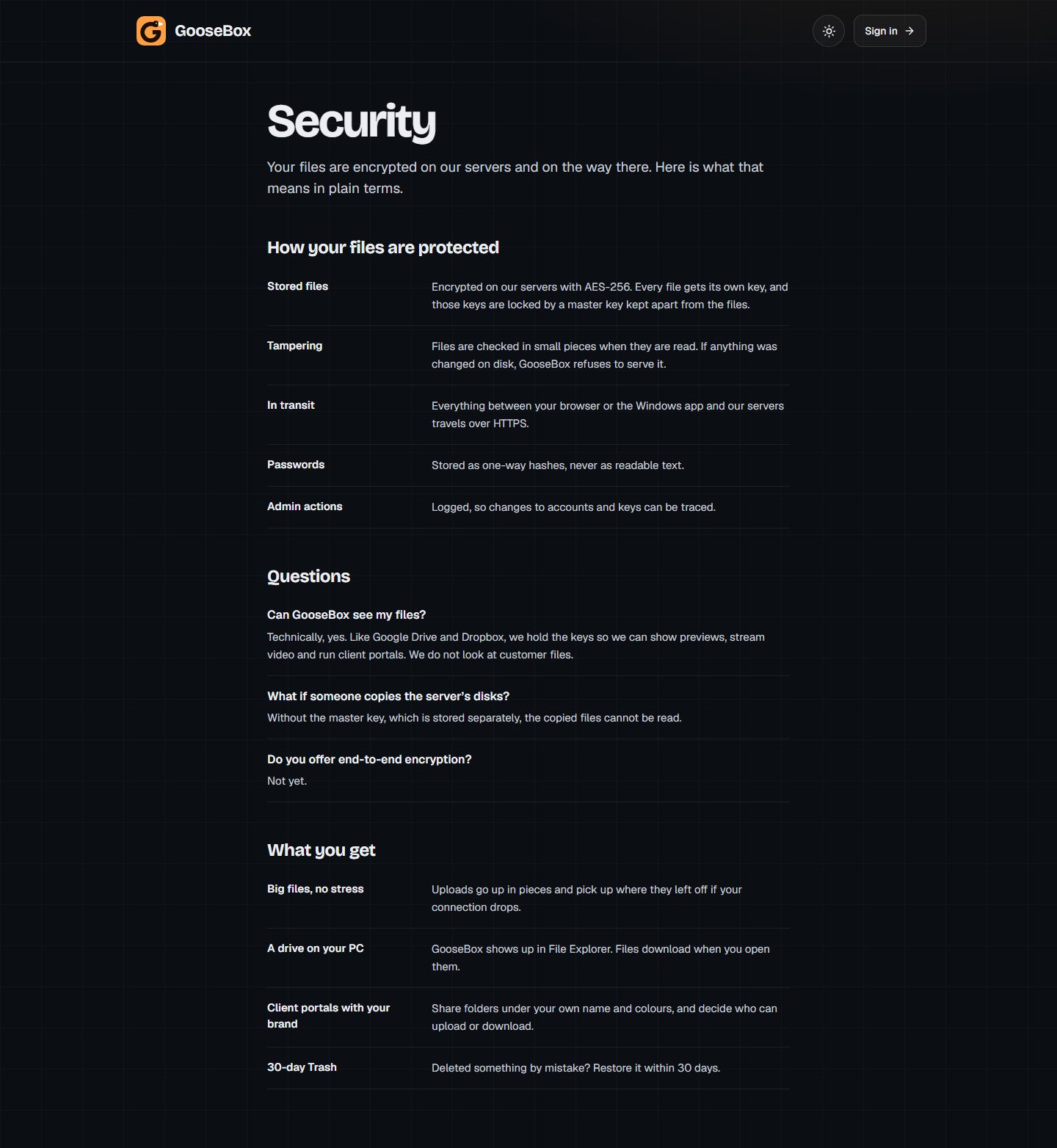
This is the plain-English page from the GooseBox site. It says what is protected, and it is honest about what is not.
- Stored files
- Encrypted with AES-256. Every file has its own key, and those keys are locked with a master key that is kept apart from the files.
- Tampering
- Files are checked in small pieces as they are read. If something was changed on the disk, GooseBox refuses to hand it over.
- In transit
- Everything between your browser or the Windows app and our servers travels over HTTPS.
- Passwords
- Stored as one-way hashes, never as readable text. Changing a password signs out your other sessions.
- Not end-to-end yet
- GooseBox holds the keys, so it can show previews and stream video. We do not look at customer files. End-to-end encryption is not offered yet.
Open to invited accounts
GooseBox is being tested with invited accounts. There is no public sign-up yet, and it has no billing. Sign-in links for new accounts are sent by hand.